Rare Frequency Works · Thoughtfully made digital tools

Your Documents.
Your Workflow.
More Possibilities.

Meet Aurevessa — PDF, OCR & All-in-One Toolbox.

Edit existing PDF text, recognize and extract text with OCR, inspect and remove supported metadata, sign documents, organize pages, convert files, and work with images in one connected document toolbox.

Start free · 3 successful saves per day, where applicable

AurevessaPDF, OCR & All-in-One Toolbox
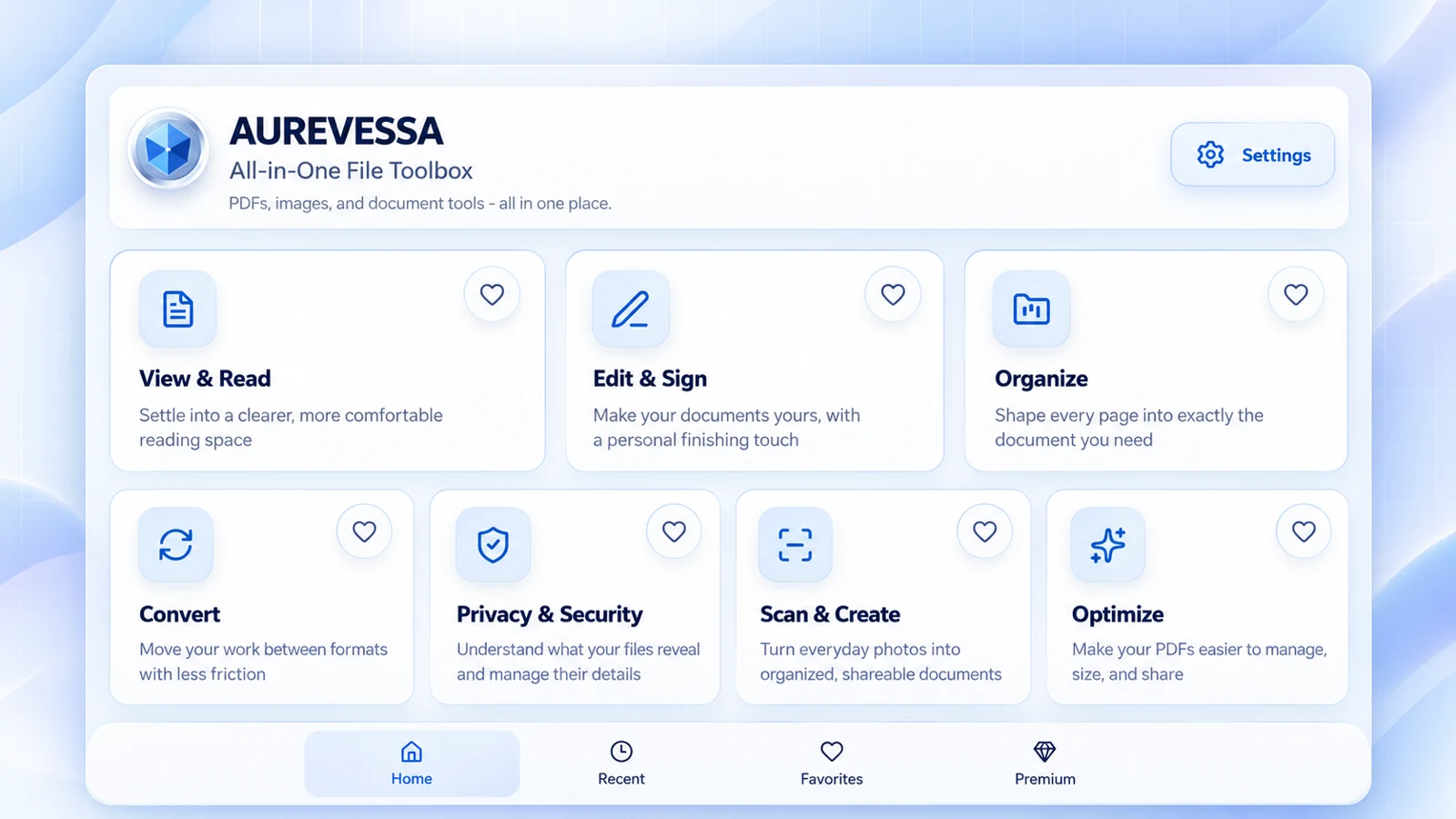
Aurevessa application home showing its document tool categories
Current Aurevessa workspace · Product image supplied by Rare Frequency Works.
Edit existing textRecognize textReview metadata
One toolbox. More possibilities.PDF editingOCR recognitionMetadata & privacy

Three tools. Everyday impact.

Made for the details that matter.

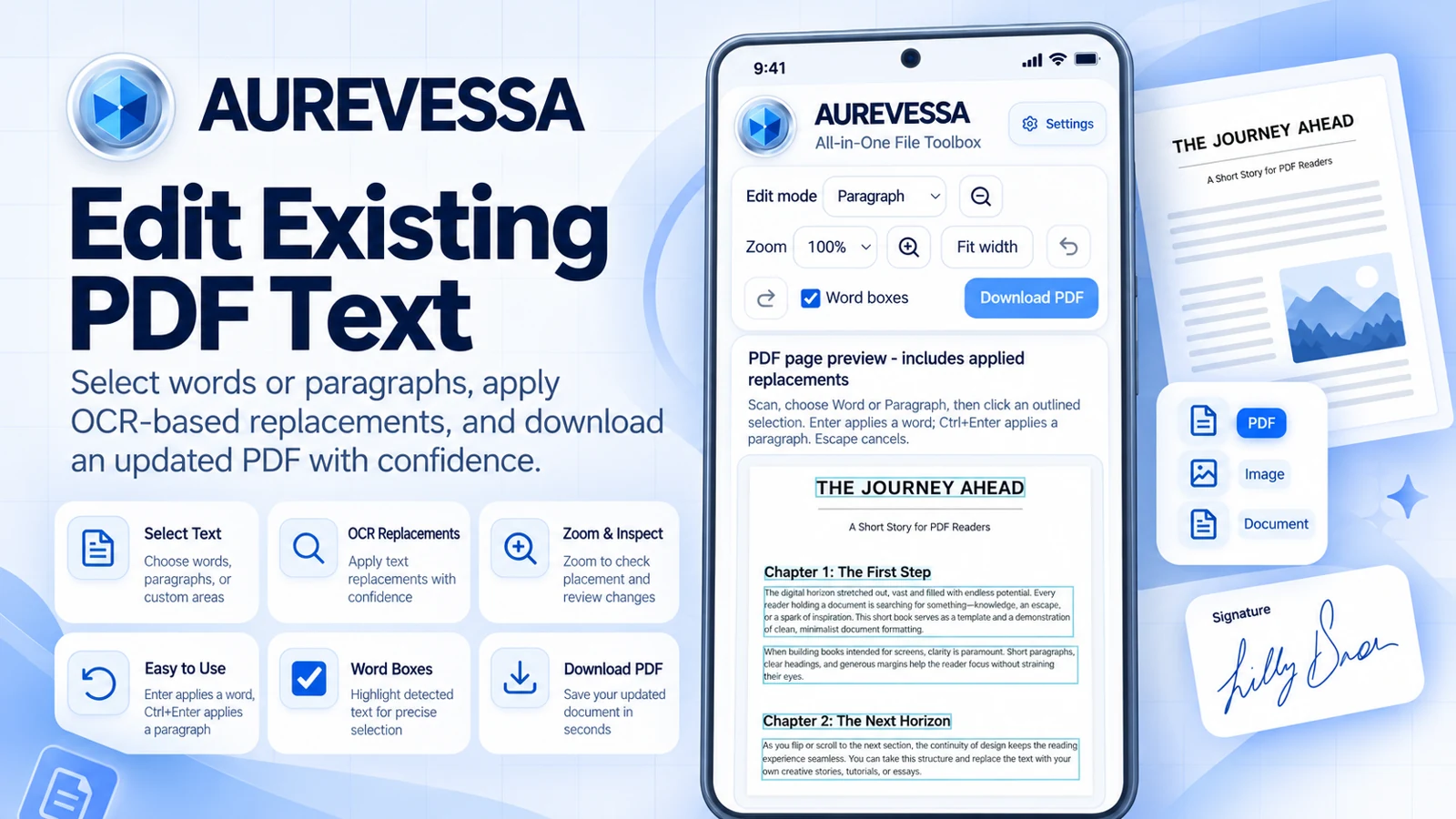
01 / Edit existing PDF text

The words can change.
The work can move on.

Correct a word, update document text, or replace a selected paragraph in a supported PDF. Use the editing controls, check the placement, and save the updated document.

Scanned pages, unusual fonts, and complex layouts may need extra care. Always reopen the saved PDF and check the result.

Read the guide →
Published Google Play product image showing the text editor
Current product image supplied by Rare Frequency Works

02 / OCR text recognition

Put printed text
back to work.

Recognize printed text in supported scanned PDFs, photos, and documents. Extract text for reuse instead of typing the page again.

OCR accuracy depends on image quality, language, and layout. Check recognized text before copying or exporting it.

Read the guide →
RECOGNIZE · REVIEW · REUSE

Text recognition.
With a human
final check.

  1. Start with a clear scanSharp, well-lit pages give OCR a better starting point.
  2. Recognize the textUse the available OCR tool in Aurevessa.
  3. Review and reuseCheck names, numbers, and formatting before exporting.
WORKFLOW GUIDE · NOT AN APP SCREENSHOT

03 / PDF metadata & privacy

Share the document.
Review the details.

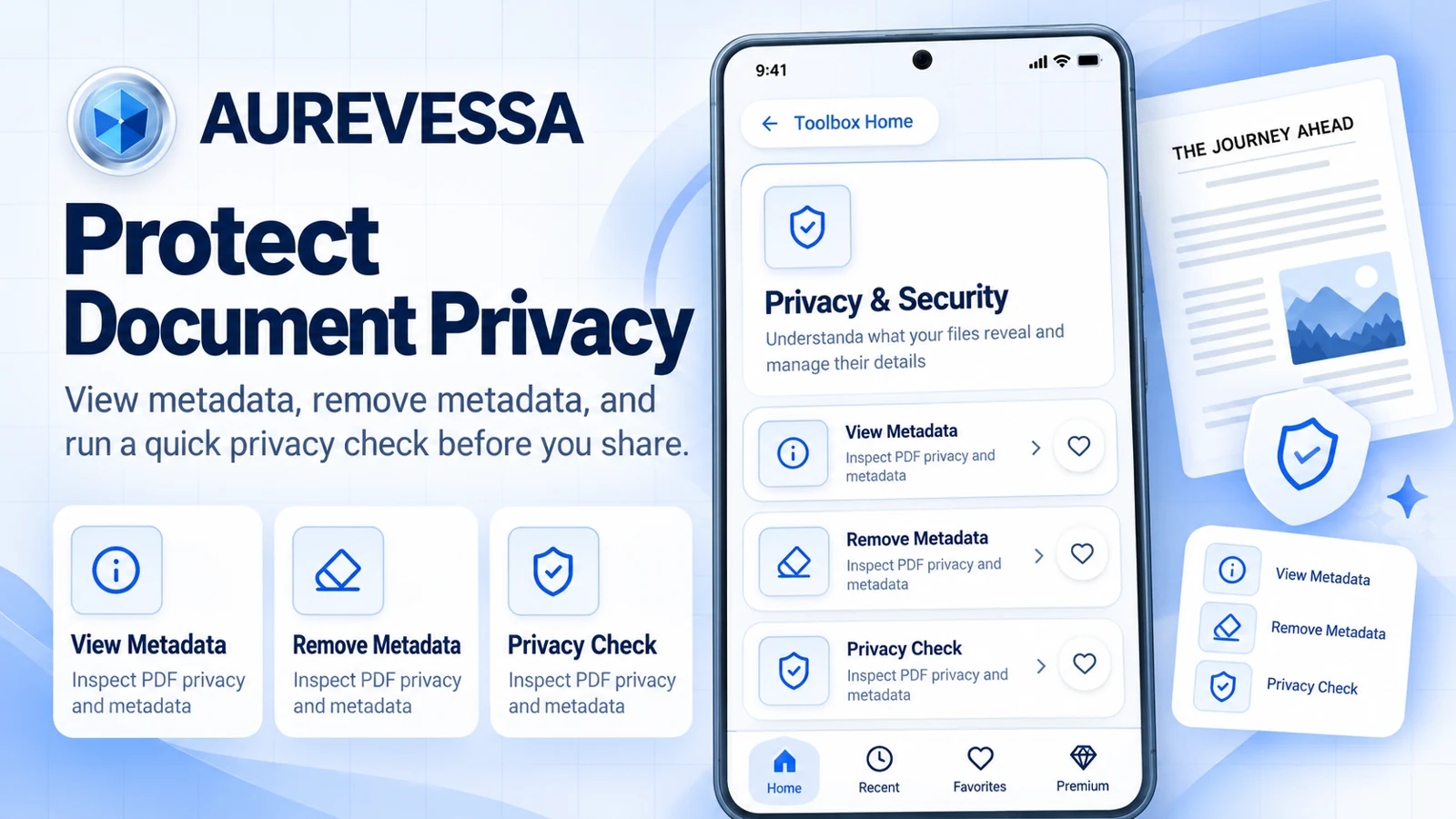
View Metadata to inspect document properties. Remove Metadata to clear supported standard metadata. Use Privacy Check to review document information before sharing.

Metadata removal is not complete anonymization. Review visible content, attachments, and other identifying information too.

Read the guide →
Published Google Play product image showing View Metadata, Remove Metadata and Privacy Check
Current product image supplied by Rare Frequency Works

One connected toolbox

More ways to finish the task.

Explore a category to see what it can help you do. Tool availability can vary by platform.

01

View & Read

A comfortable place to focus.

Explore

Open PDFs, navigate pages, search document text, and review your work.

Learn more →
02

Edit & Sign

Make the document yours.

Explore

Edit existing text in supported PDFs, add text, annotate, and place your signature.

Learn more →
03

Organize

Give every page its place.

Explore

Merge and split PDFs. Rotate, reorder, extract, duplicate, or delete pages.

Learn more →
04

Convert & Export

Move your work forward.

Explore

Create PDFs from images and export your finished documents with the tools available on your platform.

Learn more →
05

Image Studio

Get your pictures ready.

Explore

Work with image editing and conversion tools. For quick jobs, explore the free browser utilities.

Learn more →
06

Privacy & Security

Know what you are sharing.

Explore

View Metadata, Remove Metadata, and Privacy Check help you inspect document information.

Learn more →
07

Scan & Create

From the page to usable text.

Explore

Scan documents and recognize printed text in supported images and scanned PDFs with OCR.

Learn more →
08

Optimize

A more manageable file.

Explore

Compress supported PDFs, then review the result for quality and readability.

Learn more →

Small task. Simple start.

Free tools, right when you need them.

Compress, resize, convert, crop, and prepare images with the existing browser tools.

Explore all 9 free tools →

Your pace. Your plan.

Start free. Make room for more.

Try your own document before choosing a membership.

Free

Aurevessa Free

$0

Get started with essential PDF and document tools.

  • 3 successful saves per day, where applicable.
  • Access the tools available on your platform.
  • Edit, read, and organize supported documents.
  • Upgrade whenever you need unlimited saves.
Try Aurevessa Free

Premium · Monthly

Aurevessa Premium

$5.99 / month

Everything you need for everyday document work.

  • Unlimited saves and downloads
  • Ad-free experience
  • Edit existing PDF text.
  • OCR recognition and text extraction.
  • PDF metadata inspection and supported metadata removal.
  • PDF editing, signing, and annotation tools.
  • PDF organization and conversion tools.
  • Image and document utilities.

$5.99 per month — cancel according to your platform’s subscription terms.

Explore Monthly Premium

Premium · Yearly Best Value

Aurevessa Premium — Best Value

$39.99 / year

All the available Premium benefits with one annual subscription.

  • Unlimited saves and downloads
  • Ad-free experience
  • Edit existing PDF text.
  • OCR recognition and text extraction.
  • PDF metadata and privacy tools.
  • PDF editing, signing, and annotations.
  • Document organization, conversion, and image tools.
  • Same Premium membership benefits as Monthly.

$39.99 per year
Equivalent to approximately $3.33 per month.

Save approximately 44% compared with paying $5.99 monthly for 12 months.

Explore Yearly Premium

Monthly and Yearly provide the same membership benefits; only the billing period and price differ. Features and availability remain subject to your platform.

US monthly and yearly pricing also applies to Amazon, as confirmed by Rare Frequency Works. Prices, taxes, offers, premium benefits, and availability may differ by platform and region. Check the final terms in your app. No lifetime membership is offered. Purchases use the existing platform checkout; access may not transfer between platforms.

On Android, the published premium plan is named Aurevessa Pro. Other platforms may display a different premium name. Check the in-app plan for save limits, downloads, and ad-free eligibility.

Your device. Your workflow.

Find your Aurevessa.

Rare Frequency Works

Practical by purpose.
Thoughtful by design.

We create digital tools for the documents, images, and little file tasks that fill your day. A clearer next step. A useful result. More room for what comes next.

Meet the studio →